
In brief:
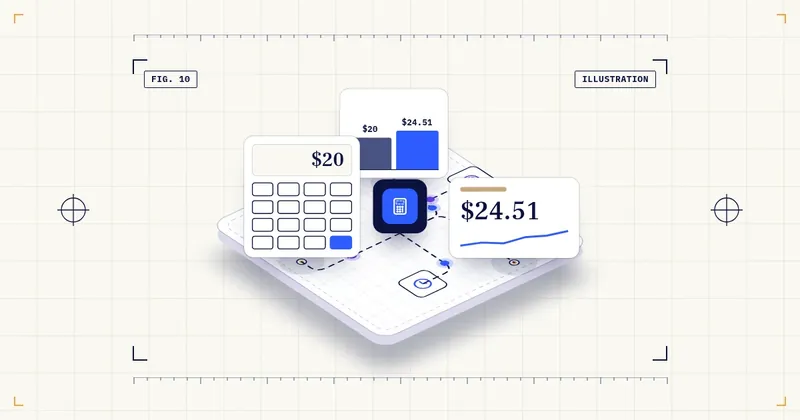
An AI tool pays for itself when the time it really saves, after checking and fixing, is worth more than its price plus your setup time. For a $20-a-month tool valued at $24.51 an hour, that’s about 49 minutes of net time saved a month.
This guide gives you the formula, four worked examples with published prices, and 8 steps to run the calculation for your own tool, with a copy-ready prompt and a measurement log.
Short answer: An AI tool pays for itself when (hours saved − hours spent checking and fixing) × the cost of an hour is more than the monthly price plus setup time spread over the months you’ll use it. A quick test is the break-even point: monthly price ÷ hourly cost. For a $20-a-month tool, valued at the US median wage of $24.51 an hour, you need to save about 49 minutes of net time a month. The four worked examples below show the formula with real published prices. The time savings in them are our assumptions, so measure your own.
This article is general information, not financial or tax advice. Hours saved are only worth money if you use them for paid work or avoid a cost you would otherwise pay.
What you’ll have by the end
- A baseline: how long one task takes you today, measured, not guessed.
- Your own value for an hour (R), written down.
- The monthly net value of one AI tool, and its break-even point.
- A keep, change or cancel decision, with a date to recalculate.
What you need before you start
- One task you want to hand to an AI tool (not “the whole business”).
- A timer or a simple log for one to two weeks before, and two weeks after.
- The tool’s pricing page, with the billing period you’ll actually choose.
Quick glossary: 5 terms used in this guide
| Term | In plain words |
|---|---|
| Break-even | The point where the value of the net time saved equals what the tool costs. Above it, the tool pays for itself. |
| Net time saved | Hours saved minus the hours you spend checking, correcting and re-prompting. |
| R (cost of an hour) | What one hour is worth to you: an employee’s cost to you, or what you could bill for that hour. |
| Setup time | One-time hours to set the tool up and learn it. We spread it over the months you’ll use the tool. |
| Payback | How many months it takes for monthly value to cover the setup cost. |
5 numbers worth knowing
| # | Number | What it means | Source (checked Oct 12, 2026) |
|---|---|---|---|
| 1 | $24.51/hr | US median hourly wage, all occupations (May 2025). A neutral starting point for valuing an hour if you don’t know your own figure | BLS – Receptionists (OOH; all-occupations median shown on page) |
| 2 | $46.89/hr | Average employer cost per hour worked in US private industry, June 2026: wages $32.82 plus benefits $14.07 | BLS – Employer Costs for Employee Compensation |
| 3 | 2.17% | Share of all work hours of employed US adults aged 18–64 saved by generative AI in Q2 2026. The figure counts non-users as zero | St. Louis Fed / FRED – RPSGENAITSALL |
| 4 | $20/month | ChatGPT Plus, monthly billing | OpenAI – ChatGPT Plus |
| 5 | $25.20/month | Microsoft 365 Copilot Business per user, monthly billing ($21 billed annually). An add-on: requires a qualifying Microsoft 365 business plan, paid separately | Microsoft – Copilot Business |
The formula
Monthly net value = (Hsaved − Hcheck) × R − (P + S × R ÷ M)
- Hsaved = hours per month the task no longer takes
- Hcheck = hours per month spent reviewing, correcting and re-prompting
- R = the cost of one hour (see below)
- P = the tool’s monthly price (per user)
- S = one-time setup and learning hours
- M = the number of months you expect to use the tool (we use 12)
If the result is above zero, the tool pays for itself on time alone.
Break-even hours per month = (P + S × R ÷ M) ÷ R
- Value of time saved = (H saved − H check) × R
- Cost = P + (S × R ÷ M)
- If the green side is heavier, the tool pays for itself
Choosing R, the cost of an hour
- For an employee, use what the hour costs you, not just the wage. BLS reports that in June 2026 private employers spent an average of $46.89 per hour worked, with benefits making up 30.0%. Your own payroll figure is better than the average.
- For yourself as an owner or freelancer, use what you could bill for that hour, or what you’d pay someone else to do the task. If you don’t know, the US median wage of $24.51 an hour (May 2025) is a neutral starting point.
- An hour saved that isn’t used for anything is worth less than R. Be honest about this.
A reality check on “hours saved”
Vendors often publish big time-saving claims. An independent measure: the St. Louis Fed series based on research by Bick, Blandin and Deming estimates that generative AI saved 2.17% of all work hours of employed adults aged 18–64 in Q2 2026, up from 2.00% in Q4 2025. This is an average across everyone, including people who don’t use AI. Applied to an assumed 160-hour work month, 2.17% is about 3.5 hours. Individual users can save more or less than that. But if a tool promises to save one person 20 hours a month, ask for evidence and measure it yourself.
Worked examples
All time figures below are our assumptions, not real data. Prices are from vendor pages checked Oct 12, 2026.
Example A: A solo owner with ChatGPT Plus
- P = $20, R = $24.51, setup ignored (S = 0)
- Break-even: 20 ÷ 24.51 = 0.82 hours, about 49 minutes a month
- Assumed use: 4 hours saved on emails and quotes, 1 hour spent checking
- Net value: (4 − 1) × 24.51 − 20 = $53.53 a month
The bar is low. The real question is whether the “saved” hours are real once you include checking time.
Example B: An employee with Microsoft 365 Copilot Business
- P = $25.20 (monthly billing; the required Microsoft 365 business plan is assumed to be paid already and isn’t counted here), R = $46.89 (private-industry average employer cost), S = 4 hours of training, M = 12
- Setup cost per month: 4 × 46.89 ÷ 12 = $15.63
- Break-even: (25.20 + 15.63) ÷ 46.89 = 0.87 hours, about 52 minutes a month
- Without the training time, it would be 25.20 ÷ 46.89 = 0.54 hours (about 32 minutes). Setup time raises the bar by about 60% in year one (32 → 52 minutes).
If an employee saves the 3.5 hours a month that the 2.17% average implies, and spends 1 hour checking: (3.5 − 1) × 46.89 − 40.83 = $76.40 a month. That’s still assumed. Measure the real figure.
Example C: An automation with Zapier Pro
- P = $29.99 (Pro, 750 tasks, monthly billing) (Zapier), R = $24.51, S = 6 hours to build and test
- Assumed: it saves 2 hours a month of copying leads into a spreadsheet, with no checking time after the first month
- Monthly value before setup: 2 × 24.51 − 29.99 = $19.03
- Setup cost: 6 × 24.51 = $147.06. Payback: 147.06 ÷ 19.03 = about 7.7 months
With annual billing ($19.99 a month), the monthly value rises to $29.03 and payback drops to about 5.1 months. But you commit for a year. Small automations can take months to pay back their setup. That’s fine if you know it in advance.
Example D: An AI receptionist (not hours: missed revenue)
Some tools don’t save hours. They catch revenue you’d miss. Then the formula changes:
Break-even jobs per month = monthly price ÷ profit per job
- P = $24.95 (Upfirst Starter, 30 calls) (Upfirst)
- Assumed profit per job: $100
- Break-even: 24.95 ÷ 100 = 0.25 jobs a month, or one extra job every 4 months
For other AI receptionist prices, see our comparison in the guide to selling AI chatbots. The hard part is knowing whether a job came from a call the AI answered. Ask the tool for call summaries and tag the bookings that came from them. We found no reliable source on how many extra bookings AI answering produces, so measure.
- A – ChatGPT Plusbreak-even ~49 min/month; net value $53.53/mo (assumed use)
- B – Copilot Businessbreak-even ~52 min/month (32 min without training)
- C – Zapier Propayback ~7.7 months (monthly) / ~5.1 (annual)
- D – AI receptionistbreak-even 0.25 jobs/month (1 job every 4 months)
- Time figures assumed
- Prices checked Oct 12, 2026
Step by step: run the calculation for your tool
Step 1: Pick one task
Pick one task, not “the business”. For example, “replying to quote requests”. Our list of 10 tasks small businesses can hand to AI is a good place to start.
How you know it worked: you can name the task in a few words, and you can tell when one instance of it starts and ends.
Step 2: Measure the baseline for one or two weeks
Time the task with a timer or a log, and count how often it happens.
How to do it:
1. Open a log with these columns: date, task, start, end, minutes, notes.
2. Log every time you do the task, even short ones.
3. At the end, add up the minutes and count how many times it happened.
How you know it worked: you know the average minutes per task and how many times a month it happens.
- Date
- Start
- End
- Minutes
- Notes
- long request
- Times this period
- Average minutes
Step 3: Choose R
Choose employer cost, your billable rate, or the $24.51 median as a fallback, and write it down.
How you know it worked: you have one number for R, and a note on where it comes from.
Step 4: Note P from the vendor’s pricing page
Use the billing period you’ll actually choose, and note any per-use or overage charges.
How you know it worked: you have P, the billing period, and any usage charges written down, with the date you read the page.
- Tool[name]
- P[price] per user/month
- Billing periodmonthly / annual
- monthly
- Usage or overage charges[e.g. per extra task]
- Read on[date]
- Billing period
- Use the period you'll actually choose
Step 5: Estimate S and choose M
Estimate S, the setup and learning hours, and choose M, the months you’ll use the tool.
How you know it worked: you have two numbers: setup hours and months of use.
Step 6: Use the tool for two weeks and measure again
Include the time spent checking and fixing.
How to do it:
1. Use the same log as in step 2.
2. Add a column for “minutes checking and fixing”.
3. Count the same task the same way, so the two periods compare fairly.
How you know it worked: you have the new average minutes per task, and a separate number for checking and fixing.
Step 7: Plug the numbers into the formula
If it’s negative, change how you use the tool or cancel it.
Prompt: run the formula with your numbers
Help me check whether an AI tool pays for itself. Don't add any numbers of your own.
Use only my numbers, and show each step of the calculation.

Formulas:
- Monthly net value = (H_saved − H_check) × R − (P + S × R ÷ M)
- Break-even hours per month = (P + S × R ÷ M) ÷ R

My numbers:
- Minutes per task before: [number]; times per month: [number]
- Minutes per task with the tool: [number]
- Minutes per month checking and fixing: [number]
- R, value of one hour: [amount]
- P, monthly price: [amount]
- S, setup hours: [number]
- M, months of use: [number]

First convert everything to hours per month (H_saved and H_check). Then show:
1. Monthly net value.
2. Break-even hours per month, and the same in minutes.
3. The result if H_check doubles.
End with one line: is the monthly net value above or below zero?
Sample input (Example A): before 10 minutes → after 4 minutes, 40 times a month = 4 hours saved; 60 minutes checking (= 1 hour); R = 24.51, P = 20, S = 0, M = 12. The 10→4 minutes split is an illustrative assumption; it totals the same 4 hours saved and 1 hour checking as Example A.
What to check in the output:
– That H_saved is the difference between before and after, times how often the task happens.
– That checking time was subtracted before multiplying by R.
– That the break-even for Example A comes out at about 0.82 hours (about 49 minutes).
– Check the main result by hand or on a calculator. AI tools sometimes get arithmetic wrong.
If your tool catches revenue instead of saving hours (like the AI receptionist in Example D), use the break-even jobs formula instead:
Help me check whether a tool that catches missed revenue pays for itself.
Don't add numbers of your own. Use only my numbers, and show each step.

Formula: break-even jobs per month = monthly price ÷ profit per job

My numbers:
- Monthly price: [amount]
- Profit per job (after costs): [amount]
- Jobs I could tag to the tool last month: [number, or "not measured yet"]

Show the break-even jobs per month, how often that is (for example, one job every N months),
and whether my tagged jobs are above or below it. Don't estimate how many jobs the tool will bring.
Sample input (Example D): monthly price $24.95, profit per job $100, tagged jobs “not measured yet”.
What to check in the output: that it comes out at 0.25 jobs a month (one job every 4 months), and that the tool didn’t guess how many extra jobs you’ll get.
H saved 4.0 h
H check 1.0 h
R $24.51
P $20
Monthly net value $53.53
Break-even 0.82 h (~49 min)
Monthly net value
If H check doubles: monthly net value $29.02
Example A from this article
How you know it worked: you have a monthly net value and a break-even point for your tool, and you know which way the result goes if checking takes longer.
Step 8: Repeat after 3 months
Prices, plans and your own usage change.
How you know it worked: you have a reminder in your calendar 3 months from now, with a link to the tool’s pricing page and your log.
Where to be careful
- Checking time is real time. If you skip Hcheck, you’ll overstate the savings, and errors that reach customers cost more than the time saved.
- Vendor time-saving claims aren’t your data. For example, an Upwork page cites a Zapier study’s hours-saved figure. That’s secondhand, and it isn’t a measurement of your business. Use your own baseline.
- Saved hours aren’t automatically money. They’re only worth R if you fill them with paid work or avoid a real cost.
- Prices change, and promos expire. Microsoft’s $18 Copilot Business price runs Jul 1–Dec 31, 2026, for the first year under certain conditions. Zapier and Otter prices differ between annual and monthly billing.
- Per-seat pricing multiplies. A tool that pays off for one heavy user may not pay off for every seat.
- Taxes: a business expense may be deductible, but rules vary. Ask your accountant.
Bottom line
- The formula: (hours saved − checking hours) × the cost of an hour, minus the monthly price and the setup time spread over the months of use.
- At a $24.51 hourly value, a $20-a-month tool breaks even at about 49 minutes of net time saved a month. Setup time can raise that bar by about 60% in the first year (in our Copilot example, from 32 to 52 minutes).
- Measure before and after on one task. An independent average puts generative AI’s time savings at 2.17% of all work hours, so be skeptical of much bigger claims.
Facts were checked against official sources in an automated (AI) check by Mamashi’s fact checker. Updated Oct 12, 2026.
Sources (all checked Oct 12, 2026)
- BLS – Receptionists, Occupational Outlook Handbook (includes the all-occupations median wage, May 2025): https://www.bls.gov/ooh/office-and-administrative-support/receptionists.htm
- BLS – Employer Costs for Employee Compensation, June 2026 (released Sep 9, 2026): https://www.bls.gov/news.release/ecec.nr0.htm
- St. Louis Fed / FRED – Time savings from generative AI (RPSGENAITSALL), updated Aug 4, 2026: https://fred.stlouisfed.org/series/RPSGENAITSALL
- OpenAI – What is ChatGPT Plus: https://help.openai.com/en/articles/6950777-what-is-chatgpt-plus
- Microsoft – Microsoft 365 Copilot Business: https://www.microsoft.com/en-us/microsoft-365/copilot/business
- Zapier – Pricing: https://zapier.com/pricing
- Upfirst – Pricing: https://upfirst.ai/pricing
Have a question about this guide?
Leave a phone number or an email and your question. We read every message.