
In brief:
Upwork publishes typical rates for automation work, and two agencies publish their own package prices. The published packages follow one pattern: a build fee plus a monthly fee.
This guide gives you those published numbers, what the tools cost, and 8 steps to take before you charge a client, with copy-ready prompts for a scope document, a data plan and your price.
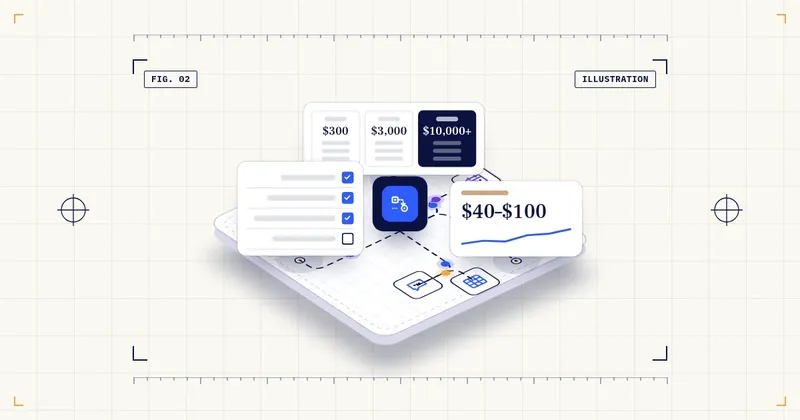
Short answer: Upwork publishes typical hourly rates of $40–$100 for n8n experts and $40–$90 for Zapier developers. Its typical fixed prices run from $300–$800 for a single Zapier workflow to $3,000–$10,000+ for automation that spans several departments. One agency, SuperDupr, publishes $2,500–$7,500 for a starter automation and $7,500–$25,000 plus $500–$1,200 a month for a multi-workflow package. Before you charge anything like that, there are 8 steps to take, from choosing a platform and building a portfolio to a written scope, account ownership, a data plan, pricing from your own hours, separate maintenance and a tax setup. Each is covered below.
This article is general information, not legal, tax or financial advice. Contracts, data protection and taxes depend on where you and your clients are. Check with a professional.
What you’ll have by the end
- A one-page scope document template for every job.
- A written decision on who owns the client’s accounts.
- A list of the personal data that passes through each step of an automation.
- A build price and a separate maintenance price, both calculated from your own hours.
What you need before you start
- A free or trial account on one automation platform (Zapier, n8n or Make).
- One process from your own work, or a volunteer project, that you can automate as a portfolio piece.
- A timer or a simple log for your hours.
- Access to an AI writing tool (ChatGPT, Claude, Gemini or another) for the prompts below.
Quick glossary: 6 terms used in this guide
| Term | In plain words |
|---|---|
| Workflow | One automation: something happens (the trigger), and one or more actions follow. |
| Trigger | The event that starts a workflow, such as a new form submission. |
| Task / execution | The unit a platform counts to bill you. Zapier counts tasks; other platforms count executions or credits. |
| Scope | A written description of exactly what the job includes, and what it doesn’t. |
| Self-hosted | You run the software on your own server instead of the vendor’s cloud. |
| Self-employment tax | The US tax for Social Security and Medicare that self-employed people pay on their net earnings. |
5 numbers worth knowing
| # | Number | What it means | Source (checked Oct 12, 2026) |
|---|---|---|---|
| 1 | $40–$100/hr | Upwork’s typical hourly range for n8n experts | Upwork – n8n experts |
| 2 | $40–$90/hr | Upwork’s typical hourly range for Zapier developers | Upwork – Zapier developers |
| 3 | $500–$2,000 | Upwork’s typical fixed price for a single n8n workflow. Multi-app projects: $2,000–$5,000 | Upwork – n8n experts |
| 4 | $7,500–$25,000 + $500–$1,200/mo | One agency’s (SuperDupr’s) own published price for a multi-workflow growth package (starter automation: $2,500–$7,500) | SuperDupr – AI automation pricing |
| 5 | 15.3% | US self-employment tax (12.4% Social Security + 2.9% Medicare), applied to 92.35% of net self-employment earnings; it applies once net earnings are $400 or more | IRS – Self-employment tax |
Published hourly rates
Hourly rates are the easiest place to start, because Upwork publishes them by skill:
| Skill (Upwork category) | Typical hourly range |
|---|---|
| n8n experts | $40–$100 |
| Zapier developers | $40–$90 |
| Chatbot developers (median) | $30–$61 |
| AI engineers (median) | $35–$60 |
Sources: Upwork’s n8n, Zapier, chatbot developer and AI engineer pages.
Three caveats. Upwork’s cost pages (chatbot, AI engineer) describe their figures as typical rates from historical contracts worldwide; the n8n and Zapier pages say their figures are ‘based on current data and industry sources’. Either way, what a client pays is negotiated. The ranges are wide, and experience moves you within them. The AI engineer page breaks it down as entry level $30–$50, intermediate $50–$75 and expert $75–$100+. And these are freelancer rates. An agency that adds project management, support and guarantees usually prices above them, but we found no data showing by how much.
Package examples that are actually published
Upwork’s typical project ranges (fixed price):
| Project type | n8n | Zapier |
|---|---|---|
| Single workflow | $500–$2,000 | $300–$800 |
| Multi-app / multi-step | $2,000–$5,000 | $800–$3,000 |
| Complex or cross-functional | $3,000–$8,000 | $3,000–$10,000+ |
| Ongoing maintenance / support | $500–$1,500 | $500–$2,500 |
One agency’s menu (SuperDupr, pricing guide updated Oct 1, 2026): a starter automation such as an AI receptionist or lead follow-up at $2,500–$7,500 one-time, a growth package at $7,500–$25,000 plus $500–$1,200 a month, and an ops platform at $25,000–$75,000+ plus $1,000–$3,000 a month. Ongoing support is $300–$1,500 a month. These are one company’s own prices. The same page gives “market” ranges and ROI statistics without naming a source, so we don’t use them.
Another agency’s menu (AgentScott, chatbots): $150 per website page for setup, and a monthly retainer of $297, $497 or $997 depending on site size. Extra work is $100 an hour (AgentScott). Our guide to selling AI chatbots to small businesses breaks down this menu and the tool costs behind it.
The pattern across all three: a build fee plus a monthly fee. The size of the build fee depends on how many apps are connected and how complex the logic is.
- Upwork (typical, fixed price)
- Single Zapier workflow $300–$800
- n8n single workflow $500–$2,000
- Maintenance $500–$1,500 (n8n) / $500–$2,500 (Zapier)
- SuperDupr (one agency)
- Starter $2,500–$7,500
- Growth $7,500–$25,000 + $500–$1,200/mo
- AgentScott (one agency, chatbots)
- $150/page setup
- Retainer $297 / $497 / $997
- Build fee
- Monthly fee
- The common pattern
- Checked Oct 12, 2026
What the tools cost (your costs, or your client’s)
- Zapier: free plan with 100 tasks a month. Pro with 750 tasks is $19.99 a month billed annually or $29.99 billed monthly. On monthly plans, tasks above the limit cost 2.5× the base rate (1.25× on annual plans) (Zapier pricing).
- n8n: the pricing page showed us Starter at €20 a month and Pro at €50 a month, billed annually, in euros. It shows local currency, and we couldn’t confirm the US-dollar prices, so check what it shows in your region. The Community Edition can be self-hosted (n8n pricing).
- ChatGPT Business, if the workflow uses an AI step and the client wants a business workspace: $20 per seat a month billed annually or $25 billed monthly. OpenAI says it doesn’t train on business data by default (ChatGPT Business pricing).
What you need before charging: step by step
- Platform
- Portfolio
- Scope
- Accounts
- Data
- Price
- Maintenance
- Tax
- Before you charge: 8 steps
Step 1: Choose the platform you’ll stand behind
Zapier, n8n and Make each bill differently (tasks, executions, credits). Learn one well enough to estimate the client’s monthly usage.
How to do it:
1. Open a free account on one platform.
2. Build one small workflow and read how the platform counted it on its usage or billing page.
3. Write down, in one line, how this platform counts usage, in your own words.
How you know it worked: you can estimate a client’s monthly usage on that platform from two numbers: how many times the workflow runs, and how many action steps it has (the trigger doesn’t count).
Step 2: Build a portfolio from your own processes
Automate something in your own business or a volunteer project, and document the before and after in hours you actually measured. Don’t use invented results.
How to do it:
1. Time the manual process for a week before you automate it.
2. Build the automation.
3. Time it again for a week, including the time you spend checking and fixing.
4. Write a short case: what the process was, what you built, and the hours before and after.
How you know it worked: you have one portfolio case with measured hours, not estimates.
- Portfolio case
- Before[measured hours]/week
- After[measured hours]/week
- Use hours you actually measured
- Trigger
- Steps
- What I check weekly
Step 3: Write a scope document for every job
Cover triggers, apps, data fields, error handling, what counts as “done”, and the number of revision rounds. A clear scope is what lets you price a fixed job at all.
Prompt: draft a one-page scope document
Help me write a one-page scope document for a small automation job.
Use only the details I give you. Don't add apps, features or prices.

Job details:
- What the client wants, in one sentence: [for example, web form leads summarized by AI and sent to the CRM and to Slack]
- Trigger: [what starts the workflow]
- Apps involved: [list]
- Data fields that pass through: [list]
- What happens when a step fails: [for example, email alert to me]
- Revision rounds included: [number]

Write these sections, in short bullet points:
1. Goal
2. Trigger and steps, in order
3. Data fields
4. Error handling
5. What counts as "done" (3–5 test cases the client signs off on)
6. Not included
7. Revision rounds and how extra changes are billed
Sample input: “Web form leads summarized by AI, sent to the client’s CRM and to Slack. Trigger: new form submission. Apps: form tool, AI step, CRM, Slack. Fields: name, email, message. Failure: email alert to me. 2 revision rounds.”
What to check in the output:
– That the tool didn’t add apps or features you didn’t list.
– That “done” is defined by concrete test cases, not “works well”.
– That there’s a “Not included” section. That’s what protects a fixed price.
How you know it worked: you have a one-page scope the client can read and sign.
Step 4: Decide who owns the accounts
The safest default is that automations run in accounts the client owns and pays for, and you get access to them. If you host them, write down what happens to the workflows if the client leaves.
How you know it worked: your proposal says, in one or two sentences, whose accounts the automations run in and what happens if the client leaves.
- Whose account will the automations run in?
- Client's account (safest default): you get access
- Write: access level
- Your account
- Write: what happens to the workflows if the client leaves
Step 5: Plan for data
List what personal data passes through each step. If a client is a healthcare provider covered by HIPAA and the automation touches patient data, a business associate agreement may be required (HHS). Get legal advice for regulated clients.
Prompt: map the data in a workflow
Help me list the personal data that passes through an automation.
Don't give legal advice. Just build the table from what I describe.

The workflow, step by step:
[Step 1: ...]
[Step 2: ...]
[Step 3: ...]

For each step, show a table with:
- The data fields that enter the step
- Which app or service receives them
- Whether any field is personal data (name, email, phone, health, payment)
- Questions I should ask the client or a lawyer about this step

At the end, list every outside service that receives client data.
Sample input: “Step 1: form collects name, email, message. Step 2: AI step summarizes the message. Step 3: summary and contact details go to the CRM and to a Slack channel.”
What to check in the output:
– That every app that receives data is in the final list, including the AI step.
– That the table doesn’t claim something is “compliant”. That’s a question for a lawyer, not for the tool.
– For clients in regulated fields, take the questions column to a lawyer.
How you know it worked: you have a table that shows, for each step, which data leaves the client’s systems and where it goes.
Step 6: Price the build from your hours, not from someone else’s range
Estimate your hours × your rate, add a buffer for testing, and compare the result with the Upwork project ranges as a sanity check. For other services and their rates, see 8 AI freelance services with Upwork’s published rates.
Worked example: pricing a single workflow (our assumptions, not real data)
A client wants web form leads enriched with an AI summary and sent to their CRM and to Slack.
– Estimated work: 10 hours to build and test, plus 2 hours of documentation and handover.
– Your rate: $60 an hour, inside Upwork’s $40–$100 n8n range.
– Build price: 12 × $60 = $720, which fits within Upwork’s typical single-workflow range ($500–$2,000 for n8n).
– Client’s tool cost: Zapier Pro at $19.99 a month (annual) if 750 tasks are enough. To check, multiply leads per month by the number of action steps (the trigger doesn’t count).
– Maintenance offer: 2 hours a month × $60 = $120 a month, with a defined response time.
If the job really takes 20 hours, the same $720 works out to $36 an hour. That’s why tracking your hours on the first few projects matters more than any published range.
Prompt: calculate a build price and a maintenance price
Help me price one automation job. Don't add any prices or rates of your own.
Use only my numbers, and show each step.

- Build and test hours: [hours]
- Documentation and handover hours: [hours]
- Testing buffer: [percent I choose]
- My hourly rate: [amount]
- Maintenance hours per month: [hours]
- Published range to compare with: [for example, Upwork's typical single-workflow range]

Show:
1. Total hours, with the buffer.
2. Build price.
3. Monthly maintenance price.
4. Whether the build price falls inside, below or above the range I gave.
5. My real hourly rate if the job takes twice as long.
Sample input: 10 build hours, 2 handover hours, no buffer, $60 an hour, 2 maintenance hours, range $500–$2,000.
What to check in the output:
– That the tool used only your rate and your range.
– That “twice as long” doubles the hours, not the price.
– Check the build price by hand: hours × rate.
- Build
- Monthly
- Tool costs (e.g. Zapier) are paid by the client's account, by usage
- Example
How you know it worked: you have a build price and a maintenance price based on your hours, and you know what each one means per hour if the job runs long.
Step 7: Sell maintenance separately
APIs change and workflows break. Upwork lists $500–$1,500 (n8n) and $500–$2,500 (Zapier) for ongoing support. Define response times and the hours included.
How you know it worked: maintenance is a separate line in the proposal, with hours included and a response time.
Step 8: Set up the tax side
In the US, self-employment tax is 15.3% on 92.35% of net self-employment earnings; it applies once net earnings are $400 or more. A tax professional can confirm what applies to you. Outside the US, check your local rules.
Note: this is not tax advice. Keep invoices and tool receipts from the first job, and ask a tax professional what applies to you.
How you know it worked: you know which tax rules apply to you, and you have a place where every invoice and receipt is saved.
Where to be careful
- Ranges are not prices you’re entitled to. Upwork’s figures are typical rates, and what a client pays is negotiated. The agency menus are one company’s own numbers. None of them is a market average.
- Unsourced statistics. Many agency pages, including some quoted here, mention ROI or “hours saved” figures without a source. Don’t repeat them in your proposals. Measure your client’s own baseline instead.
- Usage overages. Zapier charges 2.5× the base rate for extra tasks on monthly plans. A runaway loop can burn through a client’s task budget. Add error handling and alerts.
- Data and AI terms. Check whether each AI tool in the chain trains on the data, and choose business plans where needed. Write down what data leaves the client’s systems.
- Liability. Automations send emails, update records and move money. Include testing sign-off and limitation-of-liability terms in your contract. A lawyer can help with the wording.
- Avoid “make money with AI agency” courses that promise income. The FTC has acted against several AI business-opportunity sellers. See 6 red flags in “make money with AI” offers.
- Client data in the prompts. When you use the prompts in this guide, describe the workflow with invented examples. Don’t paste real customer records.
Bottom line
- Published freelance rates for automation work are about $40–$100 an hour (Upwork, n8n) and $40–$90 (Zapier), with single workflows typically $300–$2,000.
- Agency prices that are actually published follow a build fee plus monthly fee model. One agency lists $2,500–$7,500 for a starter automation and $7,500–$25,000 for a multi-workflow package.
- Before charging, get scope, account ownership, data handling, maintenance terms and taxes in writing, and price from your own measured hours.
Facts were checked against official sources in an automated (AI) check by Mamashi’s fact checker. Updated Oct 12, 2026.
Sources (all checked Oct 12, 2026)
- Upwork – Hire n8n experts: https://www.upwork.com/hire/n8n-experts/
- Upwork – Hire Zapier developers: https://www.upwork.com/hire/zapier-developers/
- Upwork – Chatbot developer cost: https://www.upwork.com/hire/chatbot-developers/cost/
- Upwork – AI engineer cost: https://www.upwork.com/hire/artificial-intelligence-engineers/cost/
- SuperDupr – AI automation pricing (updated Oct 1, 2026): https://superdupr.com/blog/ai-automation-pricing
- AgentScott – Pricing: https://aiagentscott.com/pricing/
- Zapier – Pricing: https://zapier.com/pricing
- n8n – Pricing: https://n8n.io/pricing/
- OpenAI – ChatGPT Business pricing: https://openai.com/business/chatgpt-pricing/
- IRS – Self-employment tax: https://www.irs.gov/businesses/small-businesses-self-employed/self-employment-tax-social-security-and-medicare-taxes
- HHS – Business associates: https://www.hhs.gov/hipaa/for-professionals/privacy/guidance/business-associates/index.html
Have a question about this guide?
Leave a phone number or an email and your question. We read every message.